Census Collection Flow v2
Your plan sponsors can now complete their whole census in one guided client portal task: Company, Contacts, Ownership and Employee data. You pick which steps each task includes, and each step starts from what you already have on file.
Sponsors can upload a census, enter employees directly, use their connected payroll, or upload W-2s (optional) that Stax.ai reads and matches for them. On submit, Stax.ai saves a PDF of the submission with every change listed, and the plan's Census tab shows each submission for download as a PDF or Excel file.
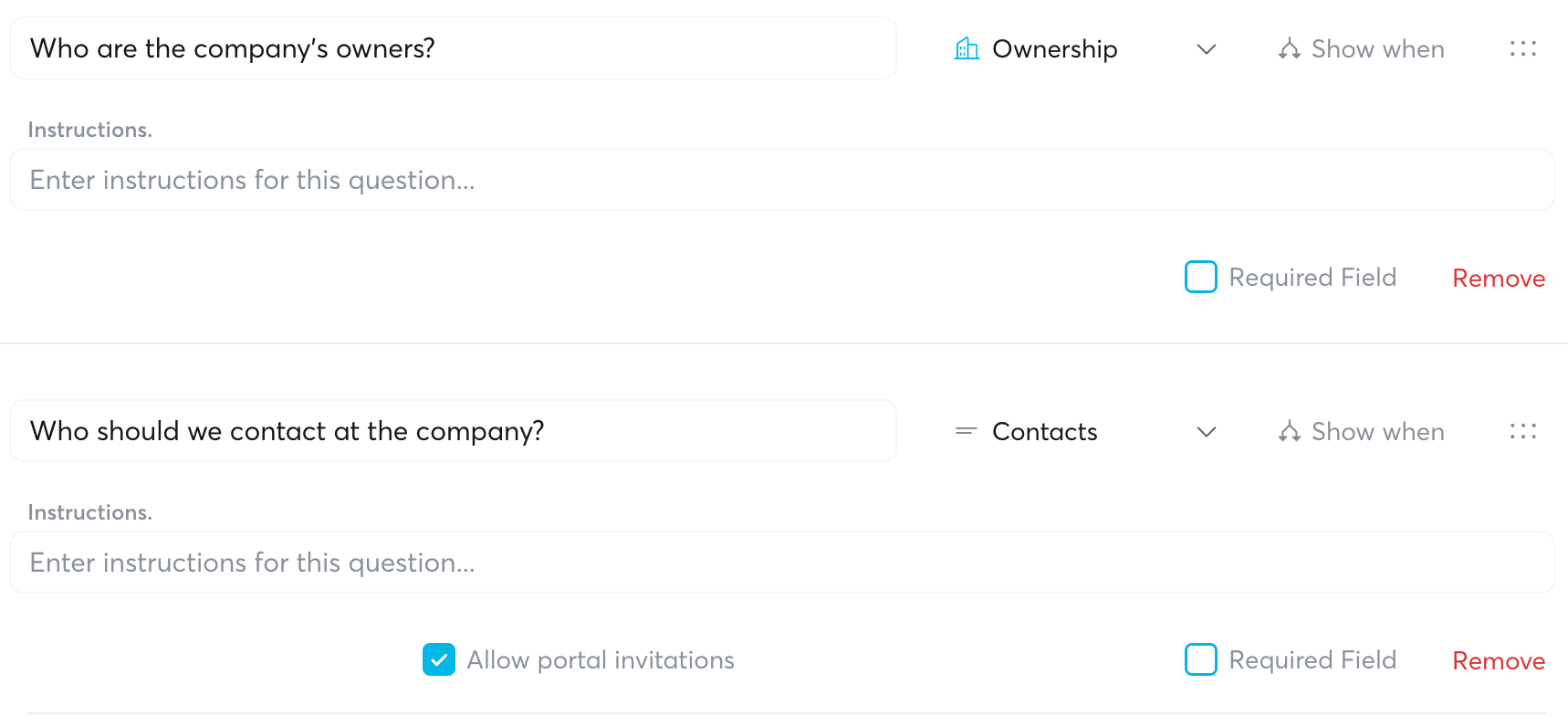
Ownership and Contacts questions for questionnaires
Questionnaires now have two new question types, Ownership and Contacts. Their answers land as real records on the plan year, not free text that someone has to re-key into Stax.ai.
Ownership: sponsors list each owner, as an individual or a business, with an ownership percentage and a running total as they go. Under each owner, they add related family members and employees and pick the relationship (spouse, child, parent, grandparent, sibling or employee). They never have to work out attributed ownership themselves.
Contacts: sponsors enter each contact's name and title, and each one becomes a contact on the plan. For each contact, they choose whether to invite that person to the client portal.
You pick the plan year the answers write into on the questionnaire task. Both questions pre-fill from that plan year, and they update the same ownership and contact records as the census flow, so you always have one current set with a full change history. Add them from the questionnaire builder in Library.
Loan payments from payroll
Loan repayments that come through payroll used to need tracking by hand, and the census export needed reconciling every quarter. Now, when payroll syncs from a payroll connection or an uploaded payroll file, Stax.ai records loan repayments against the participant automatically and updates the loan balance.
Participant Loans page: every repayment is listed, with a badge showing whether it was entered manually, came from a payroll connection, or came from a payroll file.
Census export: the Loan Payments column now shows year-to-date loan payments.
Payroll export: loan repayment columns are now included, so there's no supplemental document to send.
Payroll mapping: "Loan repayments" is now a field you can map for custom payroll feeds.
Loan Repayment report: export loan payment activity on its own for sharing or audit.
Deductions that might be loan payments but aren't a clear match go to your Issues review queue instead of being recorded automatically. Payments you enter or edit yourself are never overwritten by a later sync, and a balance you override stays put until you clear the override. This is rolling out client by client, so reach out to your account manager to turn it on.
More reliable payroll syncing
We've moved payroll syncing onto a service and fixed the most common ways payroll data went missing between your clients' payroll providers and Stax.ai:
Stuck connections: connections no longer sit in Syncing indefinitely while the provider reports them as connected.
False re-auth prompts: connections no longer show Re-Auth Required when the provider is connected, and re-authenticating from the client portal works again.
Missing pay periods: gaps in payroll history are filled in, and a re-sync now backfills any periods that are missing.
Empty connections: connections that looked healthy but brought in no payroll now import their data.
Mapped data: mapped compensation and deferrals now reach the participants page, and Recalculate Census runs successfully.
Duplicate connections: old or abandoned connections no longer hide the one your client actually authorized.
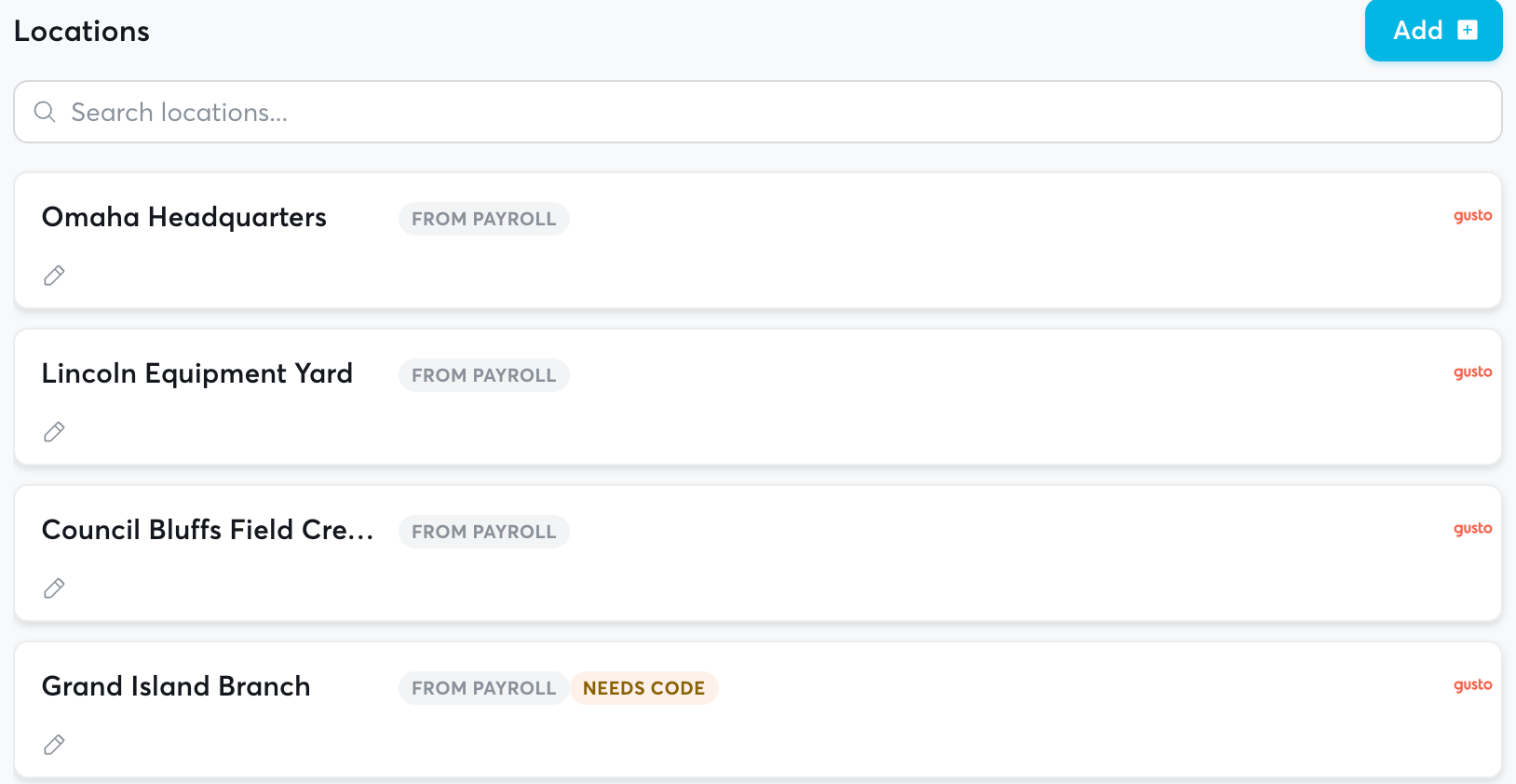
Payroll Entity and Location Mapping: sync in payroll locations, franchises, or multi-entity connections and CX will automatically track the divisions for you.
Faster automation setup and new timing options
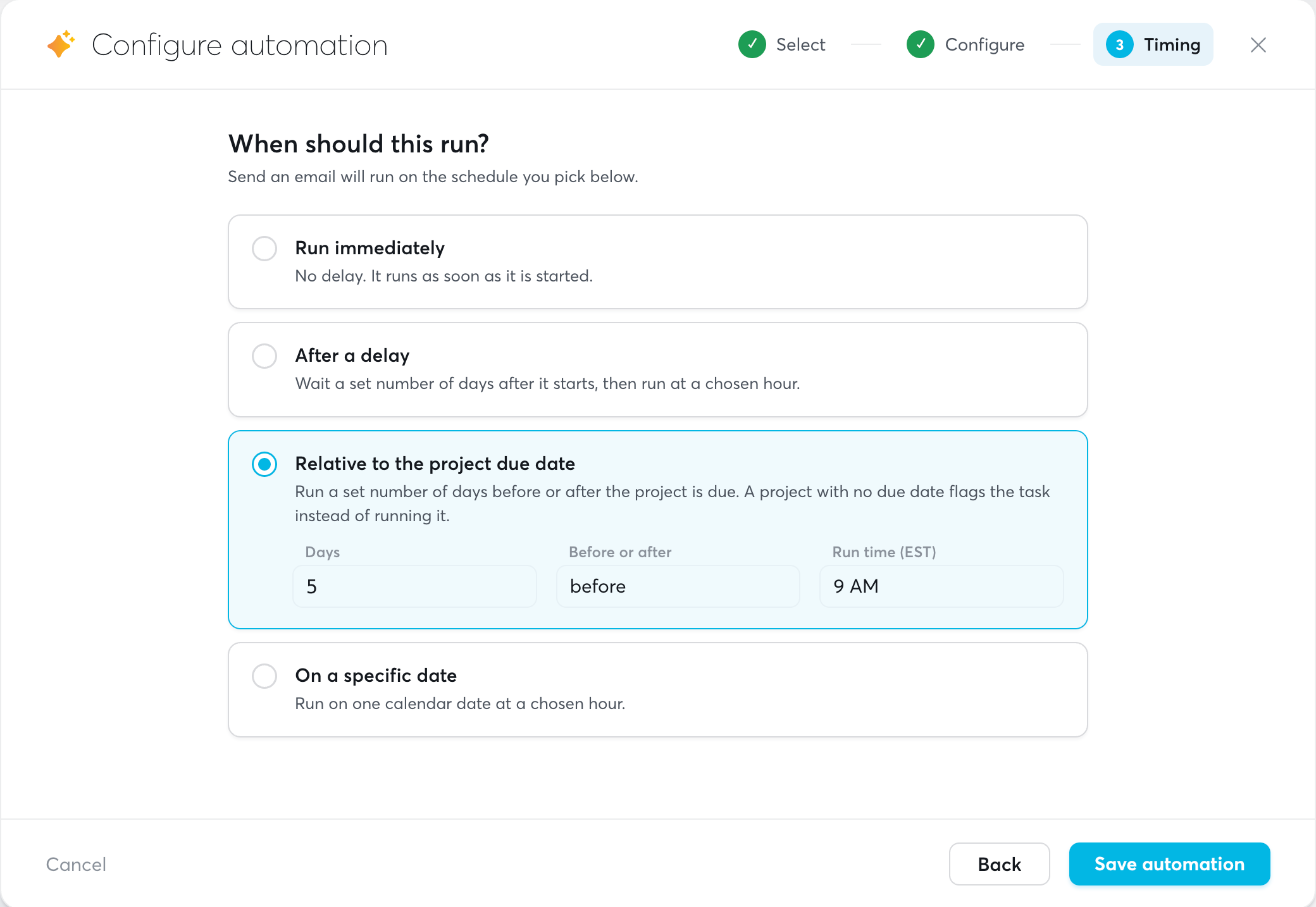
The Configure Automation window has been redesigned into three steps: Select, Configure and Timing. You can search automations and browse them by category. Two new timing options:
Relative to the project due date: run a set number of days before or after it. Runs move automatically if the due date changes.
On a specific date.
Role management
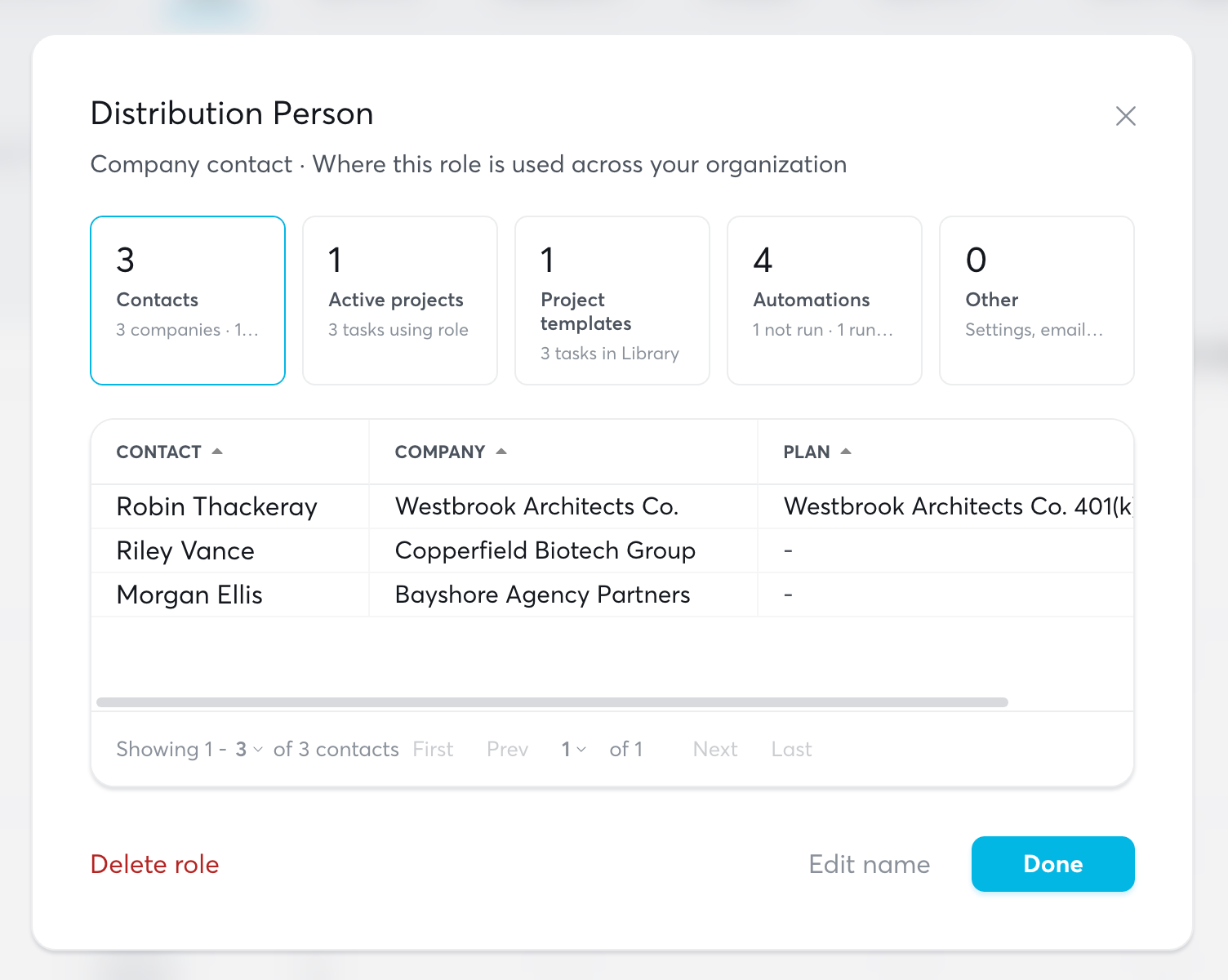
Add, rename and delete roles in Settings > Roles. Renaming a role updates it on contacts, project templates and automations. Click any role to see where it's used. Roles can now also be set as project leads.
Client portal access controls
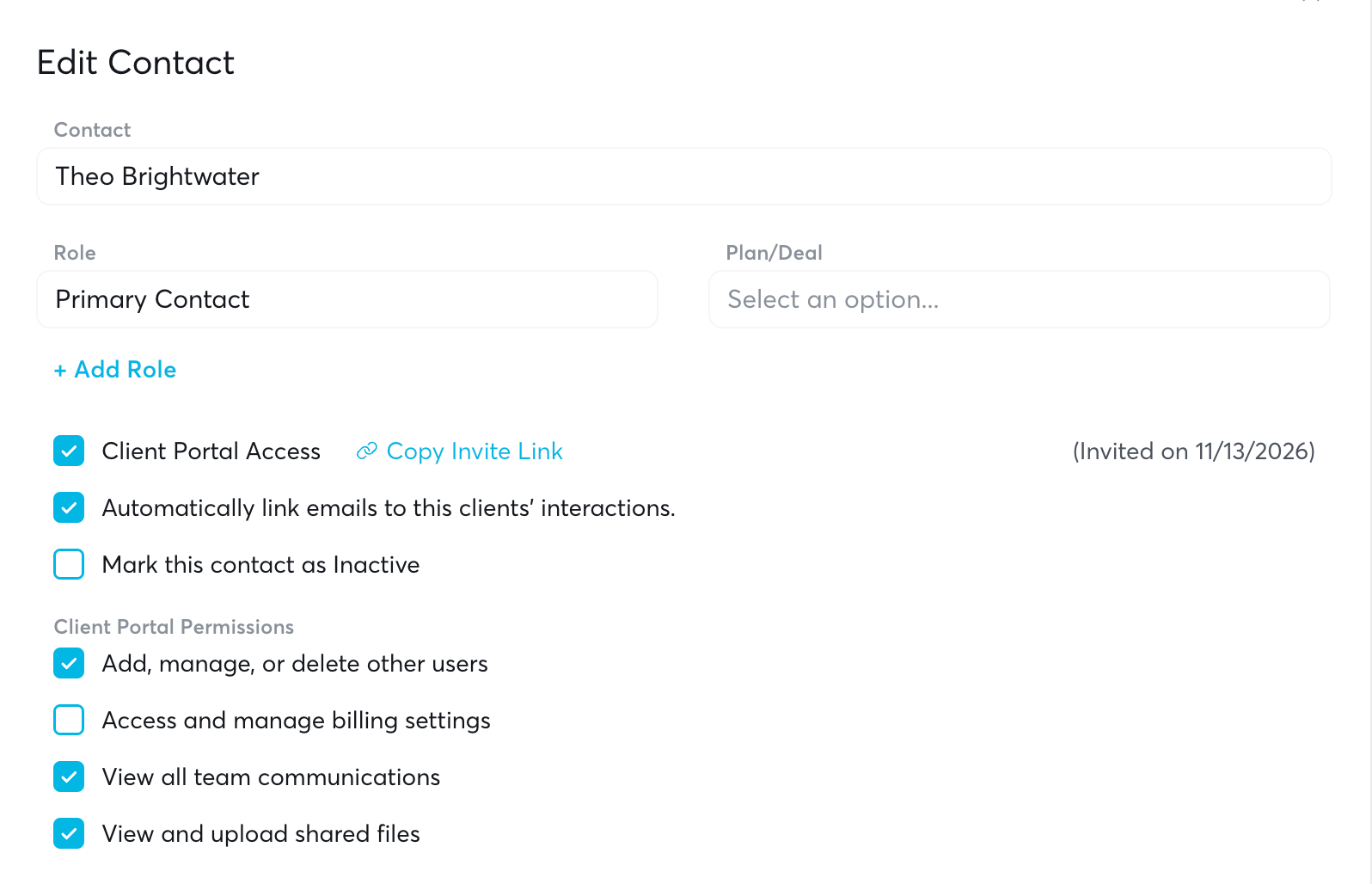
Edit permissions anytime from a contact's card, without re-inviting them.
Deactivate contacts with a plan: when you inactivate or terminate a plan, Stax.ai asks whether to mark its contacts inactive too.
Cleaner invitations: invitations close when a contact is removed or a company is terminated, so reminders stop going to the wrong people.
Reporting: Client Portal Invited and Client Portal Accepted are now available as report fields.
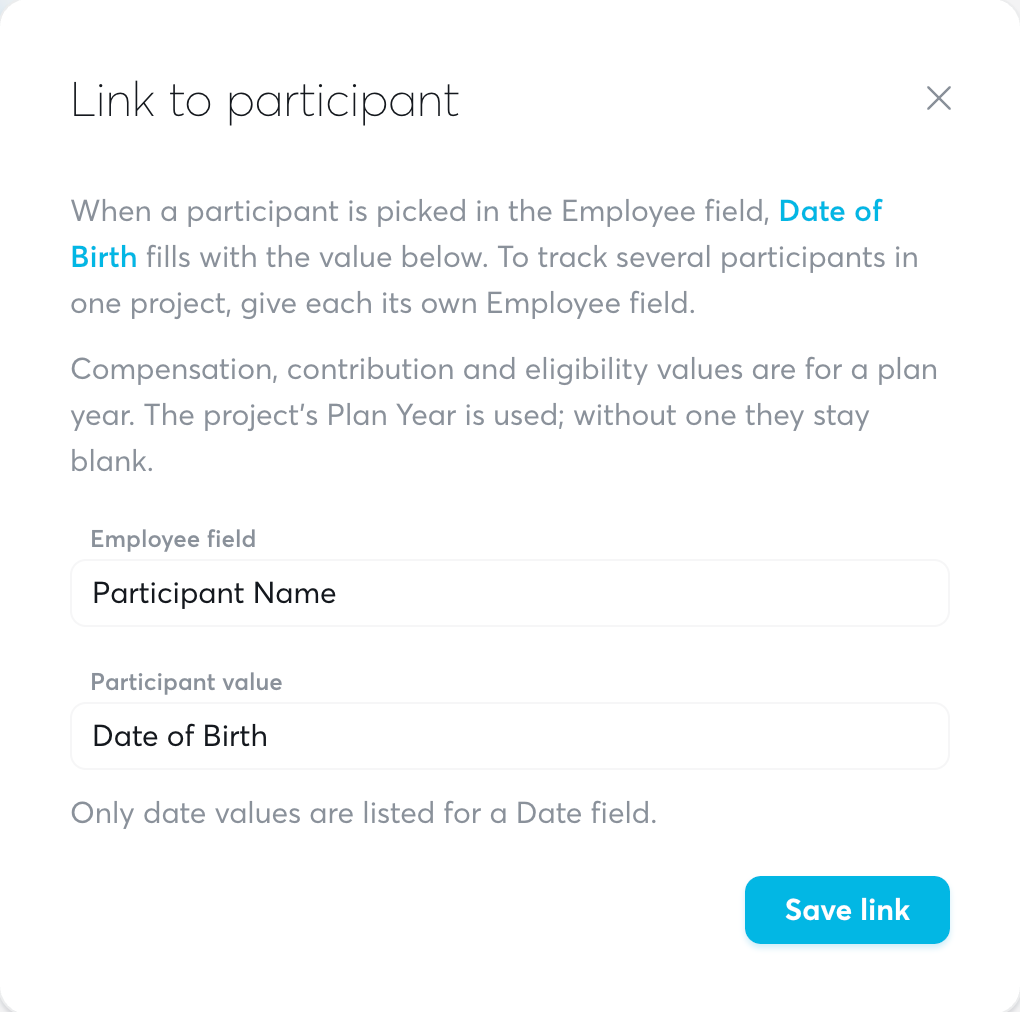
Fill view fields from a participant
In a view, link fields to an Employee field. When someone picks a participant on a project, the linked fields (name, hire date, compensation and more) fill in automatically.
Improvements
Automations — Preferred Name is now available in emails and role tokens.
Automations — The Save File automation now creates the client's folder if it doesn't exist.
Census — Contractors are no longer flagged for missing SSNs, birth dates or hire dates.
Census — Address changes now offer "Accept current value."
Client Portals — The Open External URL task can now pull its link from a data field.
Email — Bulk email can group each company's recipients into one email or send to each recipient separately.
Files — New search bar above the files table.
General — Companies, plans, projects, tasks, contacts and My Dashboard refresh more reliably without a page reload.
Library — A refreshed set of curated project and email templates.
Plans — The MEP/PEP Joinders tab now supports search, sorting and a company status filter.
Plans — New recordkeeper options, including Vestwell, The Standard, Ascensus and John Hancock FutureStep.
Plans — New fields in the recordkeeper section track the RK payroll integration type and provider.
Projects — You can now reactivate a skipped conditional branch.
Reporting — Large reports with project columns load much faster and no longer time out.
Tasks — Filtering by a non-To-do status now turns off "Show only tasks up next."
Fixes
Automations — Number comparisons in conditional groups now match correctly.
Automations — Merging PDFs no longer fails on portal-signed documents.
Automations — Auto Fill Form Document fills previously skipped fields, and outputs a PDF for questionnaires.
Automations — The API/HTTPS request code editor now displays correctly in light mode.
Automations — Summary Annual Reports keep the trailing period on institution names like "N.A."
Client Portals — Fill & Sign tasks now require a signature on generated documents.
Client Portals — Shared request-form links now launch the project correctly.
Client Portals — Saving a company's contacts no longer removes external contacts' portal access.
Companies — Sorting by Pulse works correctly.
Contacts — Phone, email and association edits no longer drop existing data.
Contacts — Marking an email as private now sticks.
Dashboards — Projects no longer disappear from dashboards after you add a task manually.
Deals — Days to Rot now saves instead of resetting to 30.
Files — New File works again.
Form 5500 — Filing tasks now complete after the filing is submitted.
Library — Templates no longer stall launched tasks with "Missing fields."
Navigation — The Email Disconnected notice no longer overlaps the notification bell.
Participants — Participant saves are no longer refused with "couldn't be loaded."
Payroll — Connecting iSolved works again.
Plans — Joinder provision differences now highlight after a page refresh.
Projects — The Tasks panel updates live as automations complete.
Projects — Projects opened from To Do now open with the header visible.
Projects — A filled-in required date no longer blocks task completion.
Reporting — Company custom fields now work on Plan reports.
Reporting — The AI reporting agent only uses datasets available in the report builder.
Tasks — Moving a task to another company's project now clears the old plan.
Views — The cursor no longer jumps while you edit required paragraph fields.