
Changelog

Follow new updates and improvements to Stax.AI.

CX Release 6.10.2026

New

Workflow Insights Permissions Support
Workflow Insights are now available to users with admin level scoping in their permissions.

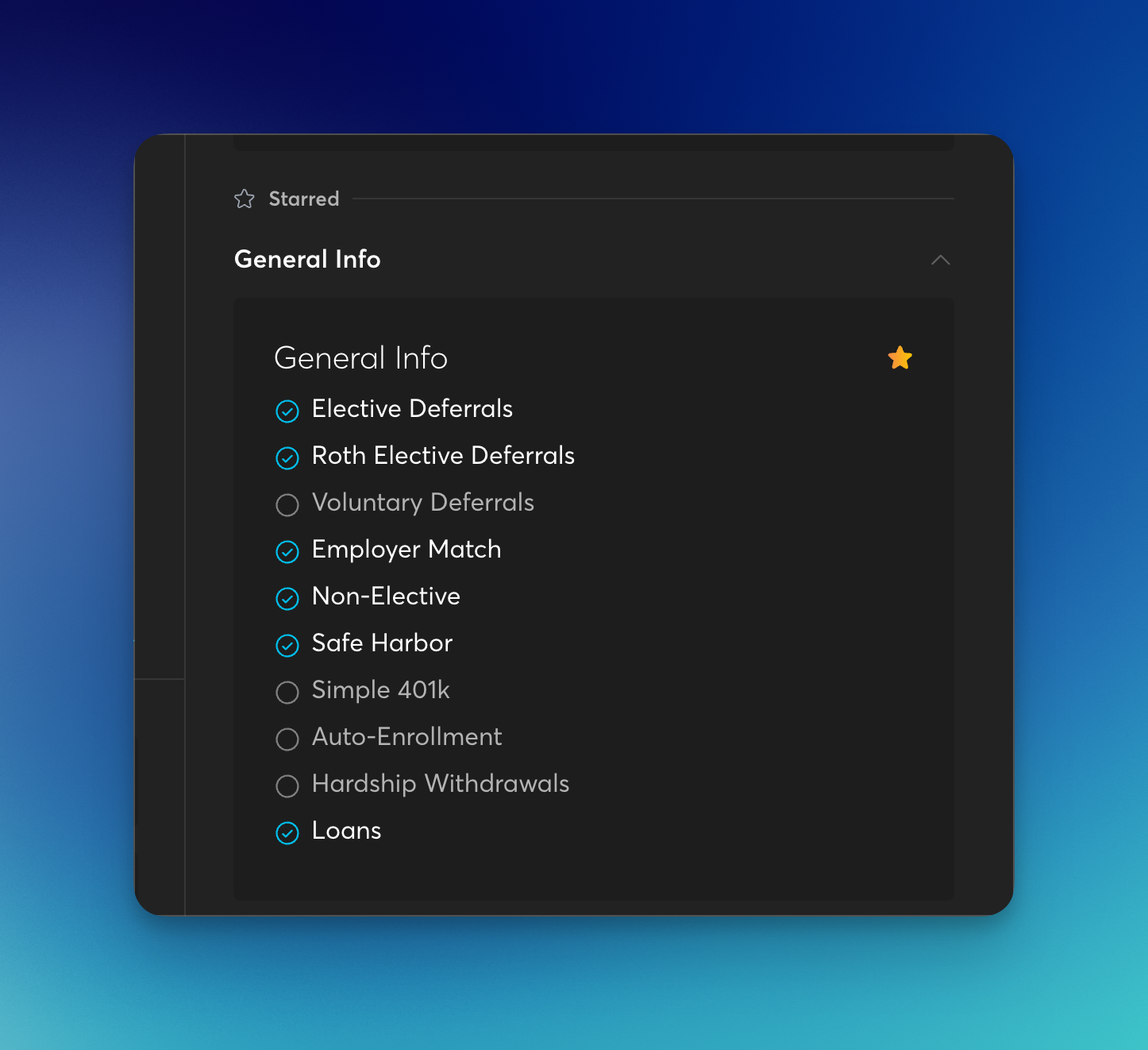
Starred Provisions
Favorite commonly used provisions to quickly pin them to the top of your provisions list for easy viewing.
Pre-entry compensation column added to payroll exports
We’ve added a new column to payroll exports to quickly show calculated compensation prior to the entry into the plan.

Fixes and Improvements

  • Payroll and census workflows: resolved issues with payroll date range grouping for mixed pay types, payroll reports, payroll linking, and upload-triggered project launch behavior.

  • Automations: fixed cases where onboarding project launcher triggers failed to launch projects, reconfiguring an automation opened the selector instead of the automation, save automations sometimes generated incorrect folders, and copying variables from plan to client level failed.

  • Email and reminders: fixed cases where send-email automations reported success while emails remained in drafts.

  • Client portal and access: fixed client portal login failures after logging out, inconsistent portal access visibility by user, and permissions-view column header misalignment.

  • Plans and dashboards: wrong-plan navigation from combo milestones, broken plan structure filtering on the companies page, and project labels being applied incorrectly in some cases.

  • Reporting and admin: fixed milestone filter behavior, number fields showing NaN in the Case Checklist task, and plan admin discrepancies.

  • Session stability: fixed cases where CX logged users out after a few minutes.

CX Release 5.28.2026

Features and Improvements

Bulk Status Updates for Tasks

We have added a status option to the bulk actions menu for tasks. We have done this so TPAs no longer need to update task statuses one at a time when working through their book of business. TPAs can now select multiple tasks and update their status in a single action, dramatically reducing the time required to keep workflows current.

External Contacts in Plan-Level Bulk Actions

We have added external contacts to the attributes available in plan-level bulk actions. We have done this so external roles — such as cpas, advisors, and other outside parties — can be managed alongside internal roles. TPAs can now add, update, or remove external contacts across multiple plans at once from the plans page, with all external role types listed below the internal role types in the attributes dropdown.

Clearer Census Instructions on the Client Portal

We have updated the census instruction wording on the client portal to remove the ambiguous use of "last plan year." We have done this to eliminate confusion for plan sponsors who interpreted the same phrase to mean two different time periods within the same instructions. TPAs can now expect cleaner, more accurate census submissions because their clients receive clearer guidance on which employees to include and which hours to report.

Bug Fixes

Participant View — We fixed an issue where clicking the distribution date or add loan payment date in the loan section was unresponsive, preventing TPAs from saving distribution dates or recording loan payments.

Payroll Reporting — We resolved an issue where payroll exports returned incomplete results and included incorrect information, ensuring exported payroll files now reflect accurate and complete data.

Plan Admin — We fixed an issue where entering a number in plan admin fields displayed 0.00 after pressing enter, requiring a refresh to show the saved value.

Payroll Reporting — We fixed an issue where Roth employee contributions sometimes were missing from the payroll report due to a parsing error on column names that contained periods.

Dashboards — We resolved an issue where dashboard tasks were grouped under incorrect headings until the screen was refreshed.

Automations — We fixed an issue where the "Collect Info via Web Form" automation did not complete after the form was submitted, leaving tasks in a spinning state and the form data unsaved.

Automations — We resolved an issue where APQ automations failed to auto-generate or save the questionnaire output, leaving plan projects stuck "on hold."

Client Portal — We fixed an issue on the census data collection task where the payroll page could not be scrolled, blocking access to the upload census/payroll report link.

Automations — We resolved an issue where the "Save Generate Reports" automation intermittently failed to save reports to view fields even when the upstream report generation steps completed successfully.

CX Release 4.9.2026

Features and Improvements:

Team-Wide Shared Filters

We have introduced the ability for team administrators to save filters that are visible to all team members. This was done to eliminate the need for each team member to manually recreate commonly used filters, saving time and ensuring consistency across workflows. TPAs can now access a dedicated "Team-wide Filters" section within their saved filters list, making it easy to find and apply standardized views shared by their admin.

Needs Review Status for Payroll Mappings:

We have added a new "Needs Review" status for payroll and report mappings across the CX platform. This was done to make it easier to identify and communicate payroll mapping issues that require TPA attention. TPAs can now see the Needs Review status on payroll mapping chips, filter by it, include it in payroll page exports, and view it on company and plan pages — providing full visibility into mappings that need action.

Document Upload Notification Enhancement:

We have updated document upload notification emails to include the name of the client associated with each uploaded document. Previously, TPAs had to log into the platform and navigate to the upload to identify the client. TPAs can now immediately see which client a document was uploaded for directly in the notification email, streamlining their document review workflow.

Custom Plan Names for Joinder Plans:

We have added the ability to customize the plan name and plan code when creating a new Joinder plan. TPAs can now specify a custom plan name and unique plan code during Joinder creation, giving teams more flexibility in how they organize and label their plans.

Internal Task External URL Support:

We have enabled the Open External URL task type to function correctly for internal tasks. This was done to mirror the existing external URL behavior available on client task types, ensuring a consistent experience across task types. TPAs can now add external URL links to internal tasks and open them directly from the task view using the same blue link display used in client-facing tasks.

Bug Fixes:

Payroll: We resolved an issue where the "Last Payroll" date displayed on the Payroll page did not match the "Payroll Sync" date shown under Companies/Plans, ensuring dates are now consistent across all views.

Payroll: We fixed an issue where the payroll connections list was truncated when sorting by company name, preventing all connected plans from displaying all records.

Payroll: We fixed an issue where uploading new payrolls did not trigger the configured project launch service, ensuring that payroll-triggered project automations now fire as expected.

Earlier updates